The FCC router ban: a case for testing what's already in your home

The US Federal Communications Commission recently issued a ban against foreign-made routers, claiming that “Malicious actors have exploited security gaps in foreign-made routers to attack American households, disrupt networks, enable espionage, and facilitate intellectual property theft” (FCC, 2026).
While the ban targets new models, it raises a broader question: how secure are the millions of consumer routers already deployed in homes and offices, many of which are end-of-life and no longer receiving security updates?
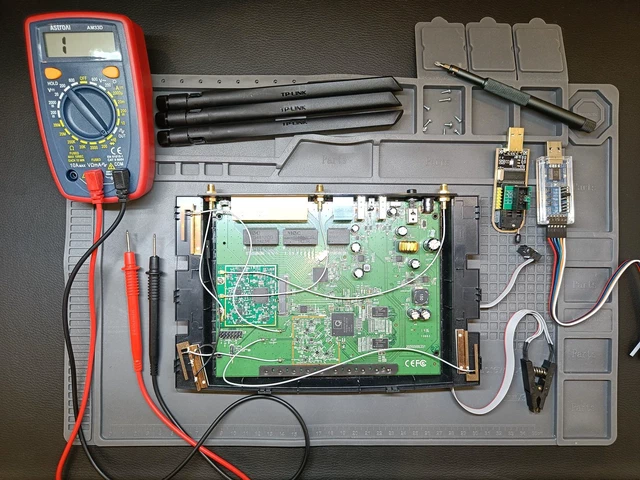
This prompted me to investigate firsthand by conducting a penetration test against a TP-Link Archer C7, a widely deployed end-of-life router which is easily and cheaply purchasable on second-hand websites.
The assessment produced a total of 39 findings with the following severity distribution:
| Severity (CVSS v3.1) | Findings |
|---|---|
| High | 3 |
| Medium | 13 |
| Low | 3 |
| Informational | 20 |
Of these findings, the most prominent include:
- A publicly available and trivially reversible root password hash
- Default plaintext credentials exposed in a flash partition
- A router configuration backup that can be decrypted using a publicly disclosed DES-ECB key
None of these requires physical access to a router. The root password hash and the default plaintext credentials can be recovered from source code and firmware that TP-Link publishes on its own website, and because the backup encryption key is public, any configuration backup an attacker obtains can be decrypted.
So how secure are the legacy routers already present in our homes? This assessment suggests the answer is: not very. Furthermore, a ban on new models does nothing for the millions of end-of-life devices already deployed, which is a significant problem considering how widespread and accessible they remain, often being overlooked despite their potential impact on home and small-business networks.
Mitigation against these risks is possible. Where firmware updates are no longer an option, replacement with a newer, better supported alternative is the best course of action. If that isn’t possible, check whether community firmware such as OpenWrt supports your exact model and revision, disable remote management, UPnP and WPS, and change the default credentials.
